A few days ago my TV announced it had new s/w to download, so I let it do its thing and upgrade.
Maybe that was a mistake. Yesterday I came in to my man-cave and the TV was on, no signal. That is odd for two reasons: (a) I turned it off the night before, and (b) it turns off after a while with no signal (or used to).
I assumed I was being silly. But this morning the same, and I was suspicious.
Later during the day I popped out today for a coffee, and I definitely turned the TV off when leaving. My wife saw me do it - I am not going crazy. When I came back, there it is, on, no signal.
So I did a test - I turned off the TV.
It turns itself back on!
It also turns on the (connected) Apple TV (as I would expect), and after a while the Apple TV goes off leaving the TV on with no signal. It stays on!
I can only assume this is LG's latest "burn up your OLED pixels quickly" software update. I can't think of any other reason they would do this. Very annoying. Not quite sure what to do - the power socket is an option, but annoyingly all hidden behind the cabinet, and rather tedious to say the least.
FYI I went in to menus and it has "turn on by WiFi" and "turn on by bluetooth", both of which I have disabled, but no different.
P.S. Disabling the simlink stuff "fixes" it, but why was it suddenly broken. It was fine before. Arrrg!
Showing posts with label TV. Show all posts
Showing posts with label TV. Show all posts
2018-12-18

2018-05-19
Apple used to be good at this!
Once again I am moaning about Apple!
My issue is on-going watching of a TV series... A simple task which incidentally Netflix has well sussed.
Once upon a time it took several clicks to get from the main menu in to the TV shows and select the show, but at least at that point it knew which episode you were watching and where you had left off within the episode.
Then, wonder of wonders, the "TV" menu in the Apple appeared, and at power on it would be basically one-click to continue watching what you had been watching, in the right show and the right point in the show. This was finally almost as slick as Netflix.
Now, as you will see in the video, they are being extra special.
It remembers where you were, what series, what episode, and where in that episode. It shows on the main page when you turn it on, offering you "Up next" as "Continue" watching that episode. One click to play it.
But then it goes horribly wrong for no apparent reason. It says you need to install Netflix! If you cancel that you see the series of shows, and the episode you are on selected ready to play. If you select, then again, you have to install Netflix.
Why?
If you go up several levels of menu, in to TV shows, pick purchased items, and all items, and scroll to find the show you were watching, you eventually find it is there but is offering to show episode 1. So you then have to find the episode you were watching if you can remember, and play.
It plays, with no Netflix needed, and carries on from where you stopped (within that episode)...
I just don't get it! It makes no sense. It seems to only be some series, but it baffles me how they release such broken code with such serious bugs in it. Seriously, Apple used to be good at user interface - it was their thing.
My issue is on-going watching of a TV series... A simple task which incidentally Netflix has well sussed.
Once upon a time it took several clicks to get from the main menu in to the TV shows and select the show, but at least at that point it knew which episode you were watching and where you had left off within the episode.
Then, wonder of wonders, the "TV" menu in the Apple appeared, and at power on it would be basically one-click to continue watching what you had been watching, in the right show and the right point in the show. This was finally almost as slick as Netflix.
Now, as you will see in the video, they are being extra special.
It remembers where you were, what series, what episode, and where in that episode. It shows on the main page when you turn it on, offering you "Up next" as "Continue" watching that episode. One click to play it.
But then it goes horribly wrong for no apparent reason. It says you need to install Netflix! If you cancel that you see the series of shows, and the episode you are on selected ready to play. If you select, then again, you have to install Netflix.
Why?
If you go up several levels of menu, in to TV shows, pick purchased items, and all items, and scroll to find the show you were watching, you eventually find it is there but is offering to show episode 1. So you then have to find the episode you were watching if you can remember, and play.
It plays, with no Netflix needed, and carries on from where you stopped (within that episode)...
I just don't get it! It makes no sense. It seems to only be some series, but it baffles me how they release such broken code with such serious bugs in it. Seriously, Apple used to be good at user interface - it was their thing.
2018-03-07
LG and privacy
I tweeted LG, and no reply.
But I also sent a support email request like this:-
To my surprise they replied!
Wow... Just wow.
Dear @LGUK - how does my TV know which people in the room have consented to TV viewing details and voice recordings being processed by you and which have not? #GDPR— RevK (@TheRealRevK) 6 March 2018
But I also sent a support email request like this:-
I noted during installation of my new OLED65W7V that there is a point you are expected to agree to terms and conditions, and consent to processing various personal data.
In this instance, as he was helping me install it, my son clicked "agree", so I have no contract with LG, have not agreed any terms and are not bound by any terms and have not consented to any processing of personal information.
1. Given that GDPR will be law soon, how will you be changing the terms and these pages so that any consent is "freely given", i.e. not "in exchange for using some smart TV features" exactly?
2. Given that I have not agreed terms or consented to processing information, how exactly does the TV know not to process voice recordings of me, or my TV viewing data? I.e. how does it tell who has consented and who has not, before processing any data?
3. If it cannot tell, does that mean you have been processing voice recordings and other personal data without my consent?
4. If so, will you be reporting this breach to the Information Commissioner's Office your self, or would you like me to do it for you?
I hope you can help answer these important questions.
Good morning Adrian,
Thank you for your query regarding your LG TV; I would be more than happy to assist you with this query today.
I
can confirm that the TV does not record your voice or use voice
controls unless you hold the button on the magic remote to do so.
It
is not possible for the TV to function to its fullest without accepting
the terms and conditions as it needs to know things like your country
for region locked apps like Netflix as well as tracking what you have
watched to make recommendations and keep track of where in a series or
movie you are. We could revert back to how it used to be and how most
manufacturers work and not ask and just do it without your permission.
As
previously mentioned the TV does not record or listen to your voice
unless you select the option to do so. You can disable this
functionality in the terms and conditions by following the steps below;
Home → Settings → All Settings → General → About this TV → User Agreements
There
has been no breach of any sort here. While you did not personally agree
to the terms and conditions the person you allowed to set up the TV
(Your Son) did. At any point you could have prevented this decision or
reverted it by following the mentioned steps above.
If
you do wish to discuss this further please do not hesitate to contact
us on 0344 847 5454 or alternatively you can also reply to this email.
Thank you in advance.
Kind regards
Carlin
LG Electronics UK Help desk
----------------------------------
LG Customer Services
Wow... Just wow.
2018-03-06
Wallpaper TV
As I blogged, I now have a "wallpaper" TV. I hope you enjoyed the video.
But this led me to ponder a few points on this.... It is not like buying a normal TV in many ways.
Normally a TV, even an expensive TV, is not so much a "fixture". You can buy and sell it, transport it (albeit carefully for some large TVs). Someone could steal it, even. A wallpaper TV if different.
It is more of a fixture. Removing it from the wall is not simple, well, it is not that hard but you then have in your hands a large, thin, fragile, piece of glass. That is not easy to transport without the original packaging, and even then it would be a challenge. It would not be easy to simply move to a new room in the house without risk.
The wall bracket is thin metal, and screwed and fixed by sticky pads to the wall. The sticky pads will be an issue, and I doubt I could remove it without bending or breaking it. The only way to move this TV will be to get a new wall bracket from LG.
The base unit (sound bar) could easily be moved, but useless without the panel.
So, I cannot see this being something I could easily move, ever, and really not something someone could steal, any more than someone stealing my ceiling. No, that is not a challenge, honest.
I hope LG do sell new wall brackets, I should check, in case I do ever want to move it. One day, I bet I will go for the 77" and someone else in the house would like this, so a new wall bracket will be a thing we need.
There is also the fact that OLED panels can burn in - there are guarantees, but I wonder how much of the TV's cost is the panel and how much is the base unit. Replacing the panel with a new one would be viable I guess. I wonder if they sell as spare parts.
Even so, a day later, I am still impressed by the new TV...
But this led me to ponder a few points on this.... It is not like buying a normal TV in many ways.
Normally a TV, even an expensive TV, is not so much a "fixture". You can buy and sell it, transport it (albeit carefully for some large TVs). Someone could steal it, even. A wallpaper TV if different.
It is more of a fixture. Removing it from the wall is not simple, well, it is not that hard but you then have in your hands a large, thin, fragile, piece of glass. That is not easy to transport without the original packaging, and even then it would be a challenge. It would not be easy to simply move to a new room in the house without risk.
The wall bracket is thin metal, and screwed and fixed by sticky pads to the wall. The sticky pads will be an issue, and I doubt I could remove it without bending or breaking it. The only way to move this TV will be to get a new wall bracket from LG.
The base unit (sound bar) could easily be moved, but useless without the panel.
So, I cannot see this being something I could easily move, ever, and really not something someone could steal, any more than someone stealing my ceiling. No, that is not a challenge, honest.
I hope LG do sell new wall brackets, I should check, in case I do ever want to move it. One day, I bet I will go for the 77" and someone else in the house would like this, so a new wall bracket will be a thing we need.
There is also the fact that OLED panels can burn in - there are guarantees, but I wonder how much of the TV's cost is the panel and how much is the base unit. Replacing the panel with a new one would be viable I guess. I wonder if they sell as spare parts.
Even so, a day later, I am still impressed by the new TV...
2018-03-05
Installing LG OLED65W7V Wallpaper TV
Wow... I just got a new TV, and it is amazing.
To be clear the amazing bit it not the picture or the sound, they are the same excellent quality of an LG OLED 65" 4K TV and sound bar. The wow factor is the form factor. This is a "wallpaper" TV.
What is a wallpaper TV?
 It means the actual panel of the TV sticks to the wall and is a few mm thick (in this case 6mm) with a flat cable coming down to the "sound bar" which is the main TV logic. Lots of ways that "sound bar" could be on a shelf in a recess or even out of sight if you tried. There are even instructions on the cable being "in the wall".
How much?
It costs more! The price comparison today was 77" LG signature OLED £8k, but wallpaper version £12k. I went for the 65" wallpaper version. My wall has space for 77" and in some ways I am thinking I should have done that, but to be honest, even I am not made of money. As it is, those prices meant upping the mortgage!
Is it really that thin?
Well, yes! Even fitted to the wall with the supplied wall bracket, it is that thin. It claims 6mm... It is. I held 5 credit cards against the wall to see...

Is it a good TV?
The panel is the same as the non wallpaper, but designed to be a thin panel on a wall. Apart from the fun of installing it, it is the same, and is awesome just as before. UHD and HDR, and the awesome contrast with true blacks you get with an OLED TV. Stunning.
Black is black!

Is the sound good?
Seems so - it has a "sound bar", and they have gone all out on the gimmicks with the tweeters motorised coming out of the sound bar when you power up. I even make a video especially for that feature... But actually, yes, very good sound - it even has a calibration mode using the microphone in the remote to adjust for the room acoustics.
How hard is it to install?
Well, I was impressed, it was not too hard, and basically James and I did it! I was scared we would screw up, but no, we managed. I have a nice installation video... All I needed was some wall fixings, and actually some were even supplied (we used Fischer fixing plasterboard fixings).
The flat cable!
 The flat cable was an issue, it is a certain length and no "plug" at the panel end just hard wired in, and a tad inflexible. As you see in the video it was too long and meant the sound bar at the front of the table. But it does come with an extender which we used, and looped back in the base/cabinet, and made it work nicely. It is one thing to consider when choosing the height of the TV.
This meant I could have the sound bar further back.
Long term it may be sane to hide the cable within the wall, which would be pretty easy, and have a small floating shelf for the sound bar. So many ways this could look "tidy" with a small amount of work.
To be clear the amazing bit it not the picture or the sound, they are the same excellent quality of an LG OLED 65" 4K TV and sound bar. The wow factor is the form factor. This is a "wallpaper" TV.
What is a wallpaper TV?
 It means the actual panel of the TV sticks to the wall and is a few mm thick (in this case 6mm) with a flat cable coming down to the "sound bar" which is the main TV logic. Lots of ways that "sound bar" could be on a shelf in a recess or even out of sight if you tried. There are even instructions on the cable being "in the wall".
How much?
It costs more! The price comparison today was 77" LG signature OLED £8k, but wallpaper version £12k. I went for the 65" wallpaper version. My wall has space for 77" and in some ways I am thinking I should have done that, but to be honest, even I am not made of money. As it is, those prices meant upping the mortgage!
Is it really that thin?
Well, yes! Even fitted to the wall with the supplied wall bracket, it is that thin. It claims 6mm... It is. I held 5 credit cards against the wall to see...

Is it a good TV?
The panel is the same as the non wallpaper, but designed to be a thin panel on a wall. Apart from the fun of installing it, it is the same, and is awesome just as before. UHD and HDR, and the awesome contrast with true blacks you get with an OLED TV. Stunning.
Black is black!

Is the sound good?
Seems so - it has a "sound bar", and they have gone all out on the gimmicks with the tweeters motorised coming out of the sound bar when you power up. I even make a video especially for that feature... But actually, yes, very good sound - it even has a calibration mode using the microphone in the remote to adjust for the room acoustics.
How hard is it to install?
Well, I was impressed, it was not too hard, and basically James and I did it! I was scared we would screw up, but no, we managed. I have a nice installation video... All I needed was some wall fixings, and actually some were even supplied (we used Fischer fixing plasterboard fixings).
The flat cable!

This meant I could have the sound bar further back.
Long term it may be sane to hide the cable within the wall, which would be pretty easy, and have a small floating shelf for the sound bar. So many ways this could look "tidy" with a small amount of work.
2018-03-04
LG 65EG960V 2015 Curved 4k OLED 3D TV
I have had this TV for over two years now, and overall I have to say I am pleased with it. It seemed like an appropriate time to say a bit more about it, as I am again changing my TV?
The reason for changing is simple. I returned from a short holiday last week (snowed in, at a cottage in the Peak District National Park, coding with two of my friends, so odd meaning of "holiday" in some ways, was fun though). Anyway, on return I found this (long scratch is around 90mm high).

This is two of several large scratches on the TV, some really long, and I am sorry to say that seeing these, even if mostly only visible when black, would drive me nuts. I took care of my TV. Sadly we will probably never know what happened as too many people in the house over the week, and I need to just move on.
However, this does allow me to confirm two important points about the LG curved TV. The first is that you can easily scratch the surface. I think it is some sort of plastic.
Sadly, I also can confirm a second point, you cannot really polish out the scratch. If you try, you polish off the anti-glare coating. I pretty much expected that, but given the scratches basically ruined the TV already I figured it was worth a try.
It is really hard to photograph a shiny spot. Viewed with the right background at the right angle, or in a dark room, it does not show. But sadly this too would drive me round the bend. You can see here in her hair...

So, you have to be very careful with your curved LG TV basically - carefully dust and follow the instructions to not use solvents, etc. Avoid anyone touching it as it takes finger prints very easily, which means keeping well out of reach of small children.
But apart from these warnings - what is my view after 2 years?
I used some of the smart TV features!
I am slightly surprised that I used the smart TV features, but I did. I used iPlayer (to watch Dr Who) and used the inbuilt Netflix especially when they launched 4k content. Very impressive.
I have not used anything else really. One app on my phone was able to stream direct to the TV, but that was not necessary as I have an AppleTV which I can stream to from my phone.
I did not use the tuner!
I have simply not been watching broadcast TV. I do have a SkyQ box but I don't think I have used that for a year. I am pretty much embracing the streaming generation using either Netflix on the TV or the AppleTV. This does mean moving the TV meant I did not need coax points, only power and network.
I have used 4k, and it is good.
When I got the TV, 4k content was hard to come by. I first found some on Netflix using the inbuilt Netflix app. I now have a 4k AppleTV. This means I am watching 4k routinely for any new content that is available in 4k. New films are, and so are new series on Netflix for example. It is impressive.
I have used HDR.
The HDR is one of those things that I have not noticed apart from when the TV tells me it is HDR. The 4k I can see, though that is partly because anything filmed in 4k is filmed on much newer and better kit rather than being able to see the pixels as much in all cases. But I have not really noticed things in HDR.
I used the 3D but very little.
The 3D is very good, and the passive glasses are excellent. The fact it is a 4K TV means playing 3D films that are left/right split but just HD do not lose rows when shown in 3D. This makes the 3D even better than the same 3D on an HD model. The passive glasses are no strain, and the separation is excellent.
I did not use it much basically because of lack of 3D content. Sky dropped it eventually. But it was also used by my son for games, two players seeing different views (2D) on the same screen at the same time.
I like the sound bar.
I got a good quality LG sound bar at the same time - the TV sounds good.
The curve is fine
To really work out if the curve matters, I just need to now use a flat TV more. The curve has no negative impact as far as I can see, and I think meant reflections were less of an issue. It is perhaps a bit of a gimmick which is probably why it seems to have been dropped.
I am clearly spoiled...
What was interesting was the week away. They had a TV in the cottage, no sound bar. It was not OLED. To be honest I am not sure what TV it was - reasonably modern - my mates say it was a big / good TV. I could see the black was not black. I could hear the sound was not very good. It seemed small, and it was only HD :-)
I had not quite appreciated how good the LG TV actually was.
So what next?
The answer, and the topic of the next blog, is the LG OLED65W7V. This is LG OLED, and 4k, but is a flat screen. In fact it is 6mm thick and mounts on the wall. I'll leave the rest for that blog.
The reason for changing is simple. I returned from a short holiday last week (snowed in, at a cottage in the Peak District National Park, coding with two of my friends, so odd meaning of "holiday" in some ways, was fun though). Anyway, on return I found this (long scratch is around 90mm high).

This is two of several large scratches on the TV, some really long, and I am sorry to say that seeing these, even if mostly only visible when black, would drive me nuts. I took care of my TV. Sadly we will probably never know what happened as too many people in the house over the week, and I need to just move on.
However, this does allow me to confirm two important points about the LG curved TV. The first is that you can easily scratch the surface. I think it is some sort of plastic.
Sadly, I also can confirm a second point, you cannot really polish out the scratch. If you try, you polish off the anti-glare coating. I pretty much expected that, but given the scratches basically ruined the TV already I figured it was worth a try.
It is really hard to photograph a shiny spot. Viewed with the right background at the right angle, or in a dark room, it does not show. But sadly this too would drive me round the bend. You can see here in her hair...

So, you have to be very careful with your curved LG TV basically - carefully dust and follow the instructions to not use solvents, etc. Avoid anyone touching it as it takes finger prints very easily, which means keeping well out of reach of small children.
But apart from these warnings - what is my view after 2 years?
I used some of the smart TV features!
I am slightly surprised that I used the smart TV features, but I did. I used iPlayer (to watch Dr Who) and used the inbuilt Netflix especially when they launched 4k content. Very impressive.
I have not used anything else really. One app on my phone was able to stream direct to the TV, but that was not necessary as I have an AppleTV which I can stream to from my phone.
I did not use the tuner!
I have simply not been watching broadcast TV. I do have a SkyQ box but I don't think I have used that for a year. I am pretty much embracing the streaming generation using either Netflix on the TV or the AppleTV. This does mean moving the TV meant I did not need coax points, only power and network.
I have used 4k, and it is good.
When I got the TV, 4k content was hard to come by. I first found some on Netflix using the inbuilt Netflix app. I now have a 4k AppleTV. This means I am watching 4k routinely for any new content that is available in 4k. New films are, and so are new series on Netflix for example. It is impressive.
I have used HDR.
The HDR is one of those things that I have not noticed apart from when the TV tells me it is HDR. The 4k I can see, though that is partly because anything filmed in 4k is filmed on much newer and better kit rather than being able to see the pixels as much in all cases. But I have not really noticed things in HDR.
I used the 3D but very little.
The 3D is very good, and the passive glasses are excellent. The fact it is a 4K TV means playing 3D films that are left/right split but just HD do not lose rows when shown in 3D. This makes the 3D even better than the same 3D on an HD model. The passive glasses are no strain, and the separation is excellent.
I did not use it much basically because of lack of 3D content. Sky dropped it eventually. But it was also used by my son for games, two players seeing different views (2D) on the same screen at the same time.
I like the sound bar.
I got a good quality LG sound bar at the same time - the TV sounds good.
The curve is fine
To really work out if the curve matters, I just need to now use a flat TV more. The curve has no negative impact as far as I can see, and I think meant reflections were less of an issue. It is perhaps a bit of a gimmick which is probably why it seems to have been dropped.
I am clearly spoiled...
What was interesting was the week away. They had a TV in the cottage, no sound bar. It was not OLED. To be honest I am not sure what TV it was - reasonably modern - my mates say it was a big / good TV. I could see the black was not black. I could hear the sound was not very good. It seemed small, and it was only HD :-)
I had not quite appreciated how good the LG TV actually was.
So what next?
The answer, and the topic of the next blog, is the LG OLED65W7V. This is LG OLED, and 4k, but is a flat screen. In fact it is 6mm thick and mounts on the wall. I'll leave the rest for that blog.
2018-02-24
The Orville
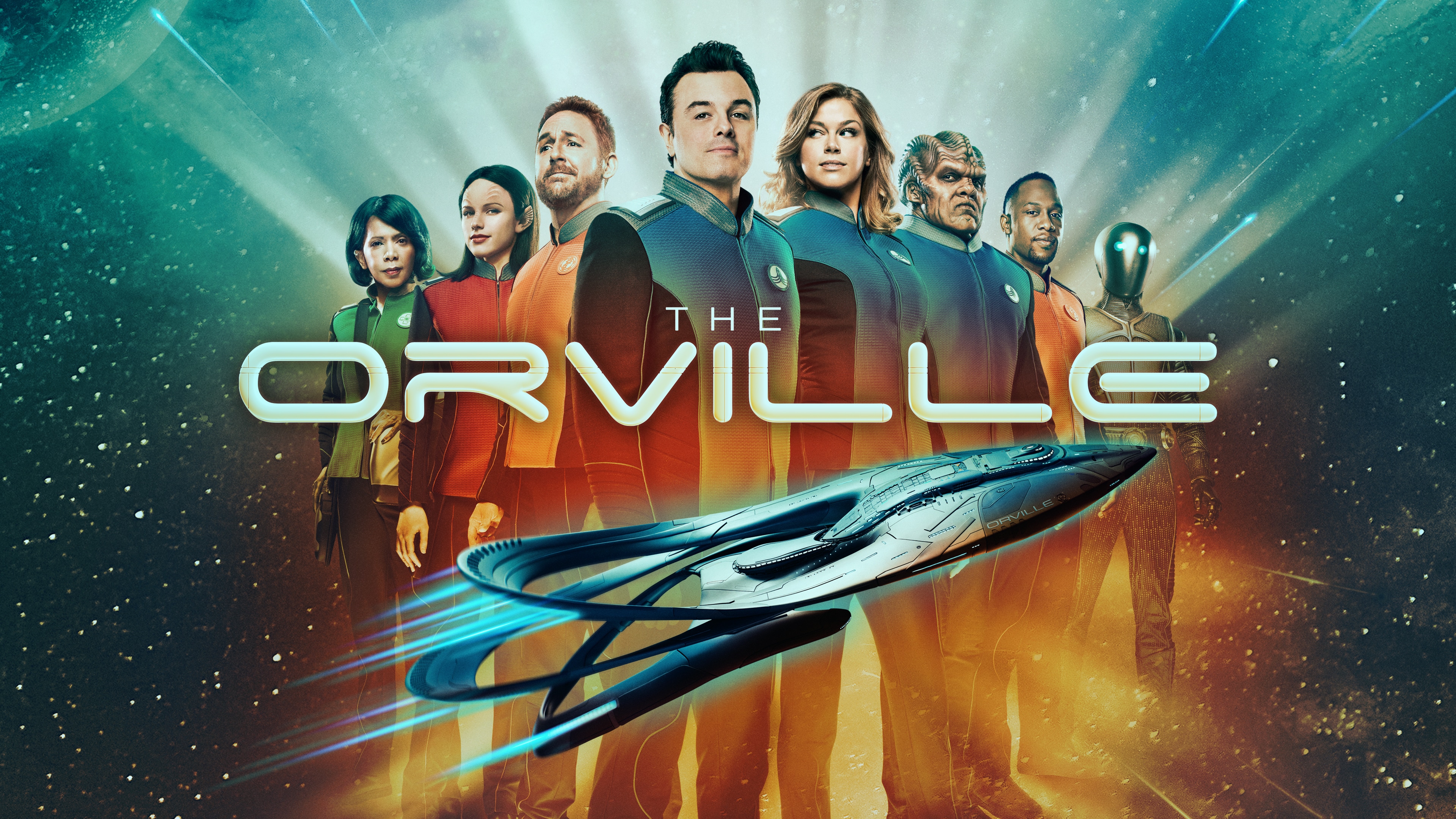
I had seen trailers for this, and my first impression from them is that it was totally a piss-take / comedy, so maybe I'll get around to watching one day.
Yesterday I had the day off, so watched it all day from episode 1, and I think the trailer does not do it justice.
The series is very much in the true style of Star Trek - the episodes are distinct stories with interesting and thought provoking ideas. There is an ongoing development of the crew and the universe in which they live, with a nemesis (the Krill). There are episodes that provide some proper character development for the members of the crew.
The graphics, effects, and even costumes are excellent - more than could ever have been done in original Star Trek, and to be honest better than TNG, etc. Not surprising with advances in CG but they are actually quite good.
Unlike the limitations of the original Star Trek where aliens had to allow for a person inside a suite in almost all cases, they have not pulled any punches. The aliens are varied, and whilst most of the crew are people in (good) costume and make-up, some are far more exotic - such as Yaphit, a gelatinous blob. But even Yaphit is not just a joke in the first episode, he is a crew member with a role in the plot in many episodes.
I my view this is much truer to Star Trek than the latest Star Trek Discovery, which I think has lost the plot. The Orville is great to watch.
However, as you would expect, it is also played with the realism of Seth MacFarlane, with loads of throw away comments and snide remarks that would happen in reality. Some of the practical jokes are crazy! It is also done without any of the usual taboos of Star Trek - yes there is mention of going to the toilet even, and scenes where an alien is naked. I love little things like a damage report after the ship is somewhat shaken about (as is classic in Star Trek) but it includes that someone spilt soy sauce on their shirt - the captain is "really, he included that in a damage report?", but you can bet in real life someone would do that. It also has lots of contemporary references, and, of course, aliens not having a clue what they are talk about - even "go to hell" confusing someone. And of course Kermit the flog.
But the jokes do not ruin the plot or make it any less fun to watch, or deminish how it looks at some serious issues even. I also found the humour not cringeworthy either, which is good.
Well worth watching. In the UK it seems to be on Fox on Sky, and on Now TV, but not from the first episode any more which is rather annoying. I ended up finding it on iTunes. Whilst the episodes are mostly self contained it is worth watching from the 1st episode in order.
Enjoy...
2017-10-27
Picking holes in a TV show, again...
I had an old episode of Stargate Universe on, S1E19 Incursion, Pt 1...
There is a scene where Young vents the air from the room in which Telford is held, killing him, and then he goes in and resuscitates him. This is to defeat the brain washing that he has suffered.... Fair enough, that is the plot.
For a change, the issue I have is not a technical one, but an issue with the subsequent scene between Young and Scott. Here Scott explains that if Young have explained that taking Telford to the brink of death would fix the brainwashing he would be behind him 100%, and Young asks if he has to explain all his decisions, and hopes not as then there would be a "problem".

I am wondering why the writers decided to do it like this. Obviously there is an important point of suspense if the audience do not know this is why Young appears to be acting this way, I get that. But why the confrontation with Scott in that way.
After all, the military clearly need a chain of command and soldiers who do not question orders. That stands to reason, but at the same time the military have to operate within certain (somewhat wide) limits, and torturing and killing a prisoner along with a civilian (yeh, Telford was in Rush's body, complicated) is clearly outside those limits. Saying "I was just following orders" is not a good defence, so when that happens it is surely a soldiers duty to question those orders? If nothing else it is pragmatic for the commanding officer to explain his actions if he wants such outrageous orders followed.
The writers could have engineered that Young managed to do this without an opportunity for others to question him, and create much the same suspense as to why he was doing it. The could even have had a more caring "You have to trust that I will do the right thing" type discussion. To me, they created a situation where we now know that Young does do the right thing, and had good reason for his actions, but is simultaneously an arsehole that does not even try to earn the respect of his troops. Maybe that is what they were going for, but it does seem an odd choice.
Bugger, I am not really a literary critic, honest...
There is a scene where Young vents the air from the room in which Telford is held, killing him, and then he goes in and resuscitates him. This is to defeat the brain washing that he has suffered.... Fair enough, that is the plot.
For a change, the issue I have is not a technical one, but an issue with the subsequent scene between Young and Scott. Here Scott explains that if Young have explained that taking Telford to the brink of death would fix the brainwashing he would be behind him 100%, and Young asks if he has to explain all his decisions, and hopes not as then there would be a "problem".

I am wondering why the writers decided to do it like this. Obviously there is an important point of suspense if the audience do not know this is why Young appears to be acting this way, I get that. But why the confrontation with Scott in that way.
After all, the military clearly need a chain of command and soldiers who do not question orders. That stands to reason, but at the same time the military have to operate within certain (somewhat wide) limits, and torturing and killing a prisoner along with a civilian (yeh, Telford was in Rush's body, complicated) is clearly outside those limits. Saying "I was just following orders" is not a good defence, so when that happens it is surely a soldiers duty to question those orders? If nothing else it is pragmatic for the commanding officer to explain his actions if he wants such outrageous orders followed.
The writers could have engineered that Young managed to do this without an opportunity for others to question him, and create much the same suspense as to why he was doing it. The could even have had a more caring "You have to trust that I will do the right thing" type discussion. To me, they created a situation where we now know that Young does do the right thing, and had good reason for his actions, but is simultaneously an arsehole that does not even try to earn the respect of his troops. Maybe that is what they were going for, but it does seem an odd choice.
Bugger, I am not really a literary critic, honest...
2016-11-16
More on Live TV from my man cave
SkyQ is fucking useless - it did not record tonight's live RT UK News interview. It is a heap of shit is so many ways.
Update: Someone managed to record it - thank you.
However, I am pleased to report that doing a live Skype TV interview worked well.
They texted me with around 30 minutes notice - the Skype login did not work - the camera was not set up and then did not see the lens but instead of telling my it just caused the app to freeze, the headset cable did not work, and I had to reboot the Mac, and well, those 30 minutes were busy.
However, the good news is that, in the end, the audio worked properly simply by selecting 48kHz as a USB audio device. The room is a tad echoey, so that needs improving but the H4n pro worked for audio.
Also good news is that the 1DX MkII with a 24-70 f/2.8 L lens worked well with the BlackMagic HDMI box to provide full HD. The picture, as broadcast was crystal clear and clearly HD and looked excellent.
I am well underway to having a decent studio here in the man cave for TV interviews, and I think I did quite well being live on air at 30 minutes notice to be honest.
Only snag was audio in my earpiece went to zero just as we went live, I wonder if the volume control caught on my collar or something, fixed, and was live a few minutes later. Well done coping RT...
The only sad part was that the topic was the IP bill finally becoming an Act. Sad days. More on that when we have reviewed the final text.
Update: Someone managed to record it - thank you.
However, I am pleased to report that doing a live Skype TV interview worked well.
They texted me with around 30 minutes notice - the Skype login did not work - the camera was not set up and then did not see the lens but instead of telling my it just caused the app to freeze, the headset cable did not work, and I had to reboot the Mac, and well, those 30 minutes were busy.
However, the good news is that, in the end, the audio worked properly simply by selecting 48kHz as a USB audio device. The room is a tad echoey, so that needs improving but the H4n pro worked for audio.
Also good news is that the 1DX MkII with a 24-70 f/2.8 L lens worked well with the BlackMagic HDMI box to provide full HD. The picture, as broadcast was crystal clear and clearly HD and looked excellent.
I am well underway to having a decent studio here in the man cave for TV interviews, and I think I did quite well being live on air at 30 minutes notice to be honest.
Only snag was audio in my earpiece went to zero just as we went live, I wonder if the volume control caught on my collar or something, fixed, and was live a few minutes later. Well done coping RT...
The only sad part was that the topic was the IP bill finally becoming an Act. Sad days. More on that when we have reviewed the final text.
2016-07-28
Sky Q

First, yes, I am using Sky. Personally I don't think I have watched Sky for a long time, and then it was only to record and watch my own live TV appearances. Maybe before that I watched some series (well, recorded and watched later). However, my family like it. Sandra likes it. Lewis likes it. So we have it.
We used to have 7 Sky boxes in total, but some have broken over time (all of the original ones, I think), and some kids have moved out, and so on, and we were actually down to only 3, albeit all new 2TB Sky+ HD boxes. Annoying I have been paying for all 7 boxes, mainly because I did not really want to run the gauntlet of talking to Sky customer services. It comes to something when you would rather pay £40 a month more than call them! Sadly the on-line order form does not seem to have a "cease this extra room" else I would have ordered on-line.
Anyway, I saw Sky Q on the site, and there was an order button, and it will save me quite a lot. So I ordered, along with four of the Sky Q Mini boxes. They seem to have no ongoing cost, so why not.
The installation took many hours. You would expect the hard bit is fitting a new dish and running cables, but actually that was quick. I had a pole for the old dish, and existing cabling I could patch through bypassing the distribution amp. It uses two cables for wide band Horizontal and Vertical, so is different to old Sky boxes. What took so long was the set up, s/w upgrade, and so on. That literally took hours, and they got another guy in to help.
Even then, they did not actually set up as I asked, but managed to bodge it together.
So, first impressions...
WiFi
The first annoyance is that the whole system seems to rely on use of WiFi. It uses a WPS system to connect one box to the next. Each box appears to also work as an AP itself with a different SSID. You can even have one box daisy chained of another it seems. I now have 5 new SSIDs visible locally - that is a pain.
There is an option to "connect to your broadband router via wired network". I set that up, but it still seems to have the WiFi and all the SSIDs still. It looks a lot like this just sets up the "client" side to be wired, but the device still works as an AP to any other boxes if you need. I cannot see how to turn that off and just use the LAN.
Update: You can turn off the WiFi! Go in to home menu, scroll to "Settings" but do not select it, then 0, 0, 1, and select, and that is installer menu where wifi can be turned off (2.4GHz and 5GHz separately). It also has the power line stuff which is definitely switched off!
Limitations
Then we come to one of the key problems, which they seem to think will change in future. It seems you can only have two of the Sky Q Mini boxes operating at a time. The others just tell you there are too many in use and to put one in standby. This is very odd given that they say you can have up to 4 of them. If limited to two working, why is there a limit on how many on the network anyway?
Being lied to?
This is what is really annoying me now.
They stated clearly that whilst live TV can only be viewed on three boxes (did not say it was main box plus two minis, just "three boxes"), but they then said categorically that catch-up/recorded/on-demand can be watched on the other boxes.
That seems to be a lie - listen for yourself...
2015-12-24
Live on TV via Skype!
I am not a Skype fan. We have used "proper VoIP" for a long time, but it works.
But I am also not a fan of spending 90 minutes or so on train and taxi in to London to Millbank studios, being on-air for 4 minutes, and then spending as long getting home. So when Russia Today (RT, Sky channel 512) wanted me on TV and said maybe Skype, I tried it.
It works OK. But it is not that good quality and the sound even broke up.
So I am wondering if I should set up a studio. I have been on RT twice, Sky News several times, BBC a few times, so it may be worth tinkering. I should be able to set up a decent camera and some lights and a decent mic. The idea is that I could provide a web page with streaming live audio/video in HD and use a telephone call in earpiece as talkback.
I wonder if TV studios can handle that - I would think so if they can manage Skype.
I may have to put one of those big "ON-AIR" red lights outside the man-cave though :-)
But I am also not a fan of spending 90 minutes or so on train and taxi in to London to Millbank studios, being on-air for 4 minutes, and then spending as long getting home. So when Russia Today (RT, Sky channel 512) wanted me on TV and said maybe Skype, I tried it.
It works OK. But it is not that good quality and the sound even broke up.
So I am wondering if I should set up a studio. I have been on RT twice, Sky News several times, BBC a few times, so it may be worth tinkering. I should be able to set up a decent camera and some lights and a decent mic. The idea is that I could provide a web page with streaming live audio/video in HD and use a telephone call in earpiece as talkback.
I wonder if TV studios can handle that - I would think so if they can manage Skype.
I may have to put one of those big "ON-AIR" red lights outside the man-cave though :-)
Subscribe to:
Posts (Atom)
-
 Broadband services are a wonderful innovation of our time, using multiple frequency bands (hence the name) to carry signals over wires (us...
 -
 For many years I used a small stand-alone air-conditioning unit in my study (the box room in the house) and I even had a hole in the wall fo...
 -
This is an appeal for (sensible) comments. I am working on revised A&A tariffs for broadband. For those that are not sure how they wor...